Everything you need for a better visit.
Tutorials, tips and support for using ReelLife Conversations — designed to grow with you. Start with the App walkthrough below.
Using the App
Step-by-step tutorials for phone and tablet.
Conversation Tips
SoonGentle ways to start, steer and enjoy a chat.
For Carers & Family
SoonGuidance for visitors, carers and loved ones.
Help & Support
SoonTroubleshooting, FAQs and how to reach us.
Using the App
Choose the device you're using to see the relevant walkthrough.
Phone walkthrough
Thanks for checking out ReelLife Conversations on a phone. To make our product as visible as possible, we have created this phone version for you to enjoy — however, for accessibility reasons, we do encourage you to use a tablet if you have access to one so that you can both see the screen and enjoy it together.
In the phone version, there are two types of buttons:
- Face Buttons — for people found in the picture.
- Purple Buttons — one or two word Conversation Cues for things to talk about that need no memory of the photo.
Press a purple button to show a suggested conversation prompt, or any other button to move to the next photo — and the clever part is the next photo will link back to the previous one.
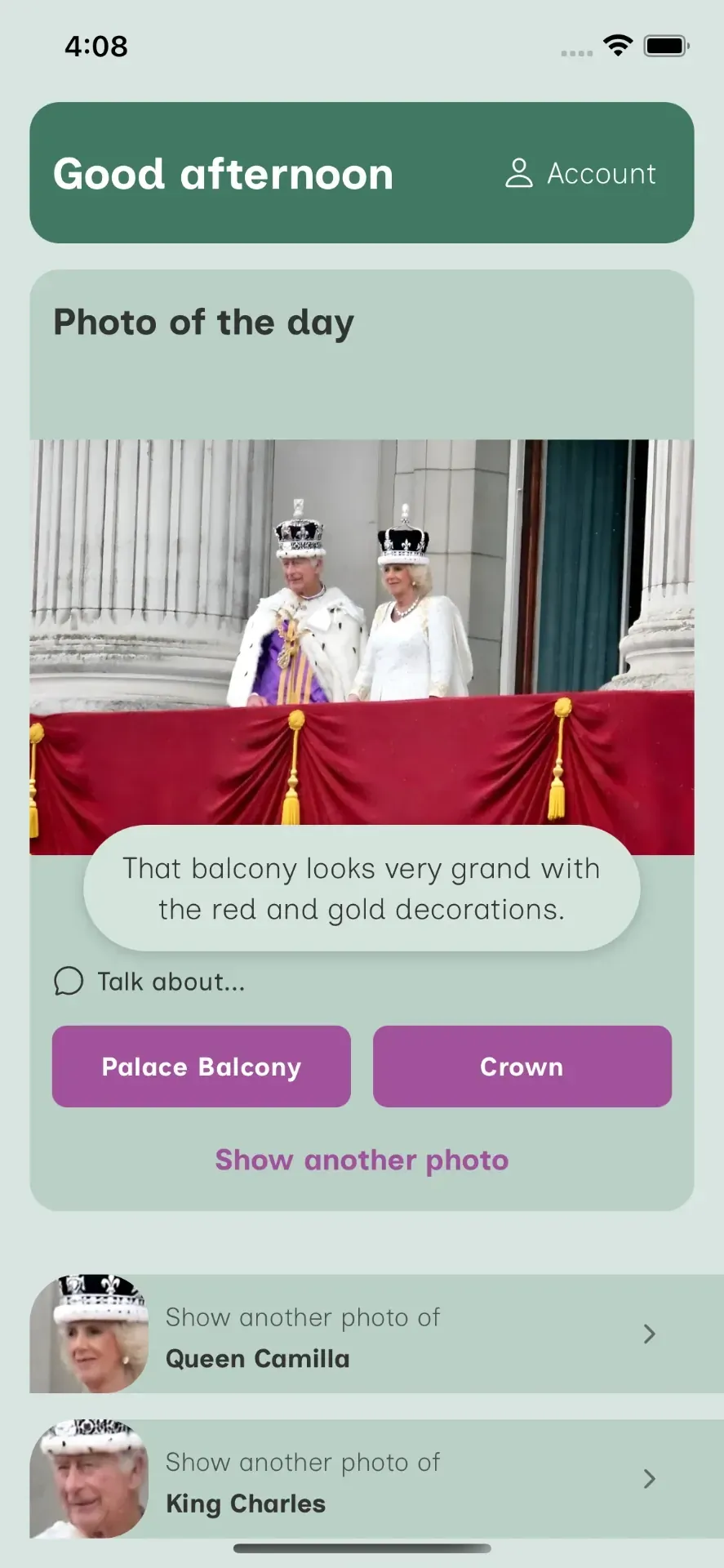
Examples of how to use these four buttons as cues for conversation:
Queen Camilla
Face button“Queen Camilla is known for supporting over 100 charities — do you know much about her?”
King Charles
Face button“King Charles looks very smart in his purple and white clothing. Do you enjoy learning about the histories behind different royal outfits?”
Palace Balcony
Purple button“That balcony looks very grand with the red and gold decorations. How would you feel looking out at thousands of cheering people?”
Crown
Purple button“Don’t their crowns look magnificent? It’s quite rare to see even the King and Queen all dressed up like that.”
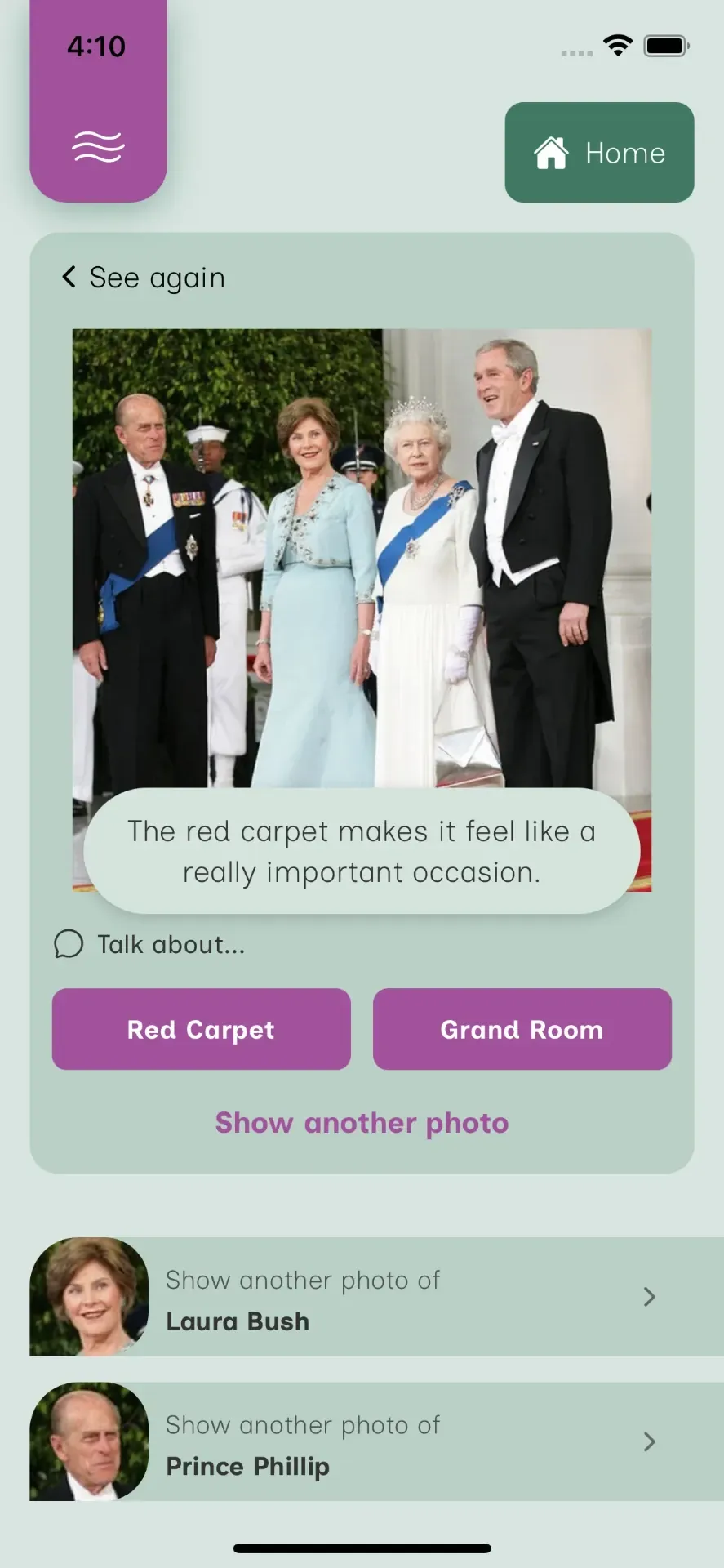
Examples for the next photo in the journey:
Red Carpet
Purple button“The red carpet makes it feel like a really important occasion. Would you like to have walked on a red carpet?”
Grand Room
Purple button“That is gorgeous stone in that room — what colour is this house or building?”
Laura Bush
Face button“Laura Bush has a lovely outfit on — it's a beautiful light blue. Do you think it suits her?”
Prince Philip
Face button“I think Prince Philip looks very distinguished in his suit and blue sash. What do you think?”
Still need a hand?
More tutorials, FAQs and support resources are on the way. In the meantime, get in touch — we are always happy to help.